
BrandGuard™
Menu

01 / WHO IT IS FOR

For brands that need NFC tags, secure encoding and online verification in one service.

THE SOLUTION MATCH01

NFC tags, secure encoding and online verification, provided together by BrandGuard.

  1. 01
    Verification without building a platformYou want BrandGuard to operate online verification, so your team does not have to develop and maintain a tag authentication platform.
  2. 02
    A clear result for the current readingYou want buyers to tap an NFC tag and see the result of that reading. With suitable tamper-detecting tags, they can also see whether the seal reports an opening.
  3. 03
    Results alongside your own brandYou want the verification page to represent your brand. BrandGuard can configure and host it for you, or you can show results on your own website.
02 / WHAT WE PROVIDE

What BrandGuard provides

THE SOLUTION SCOPE02

Together, we choose the tag, secure encoding and result display to suit your product, packaging and website.

  1. 01
    TAG + SECURE IDENTITY

    NFC tags and secure encoding for your product

    We design and manufacture NFC tags to suit the product, packaging, placement, reading and protection requirements, then securely encode each tag for the agreed verification approach.

  2. 02
    LIVE VERIFICATION

    Online verification operated by BrandGuard

    BrandGuard checks the cryptographic evidence from the tag and its link to the registered item, then returns the result of that reading. Suitable tamper-detecting tags can also report seal state where available, separately from tag authentication.

Three ways for buyers to see your product verification results

BrandGuard verifies the tag in all three options. Buyers can see the result on a page we host for your brand or on your own website. Before preparing the tags, we agree where the NFC link will open and how the page will receive the result.

C1

A verification page for your brand, hosted by BrandGuard

We configure and host a verification page using the logo and product information you provide. The page runs on a BrandGuard domain; you do not need your own website or an API connection.

How it works

  1. Tap the NFC tag with a compatible phone
  2. BrandGuard verifies the reading
  3. View the result on the page configured and hosted for your brand

BrandGuard provides

After successful verification, the page can show your logo, product photo, description and public attributes alongside the result. It also displays the verification time, number of accepted verifications and history where available. Suitable tamper-detecting tags can report seal state separately.

You provide

Your logo, product photos, descriptions and the attributes you want buyers to see, linked to the registered product and individual item records.

Branded verification page example · Product and records are illustrative
YOUR LOGOYour brand logo here
THIS NFC VERIFICATIONTag authenticated

This NFC reading matches the brand’s registered tag.

TAMPER SEAL · THIS READINGNo opening reported

The tag reports no seal-circuit opening in this read.

ACCEPTED VERIFICATION#3

for this tag

VERIFIED AT

2026-10-07
18:40:00
Asia/Singapore
UTC+08:00

Verification regionSingapore (example)
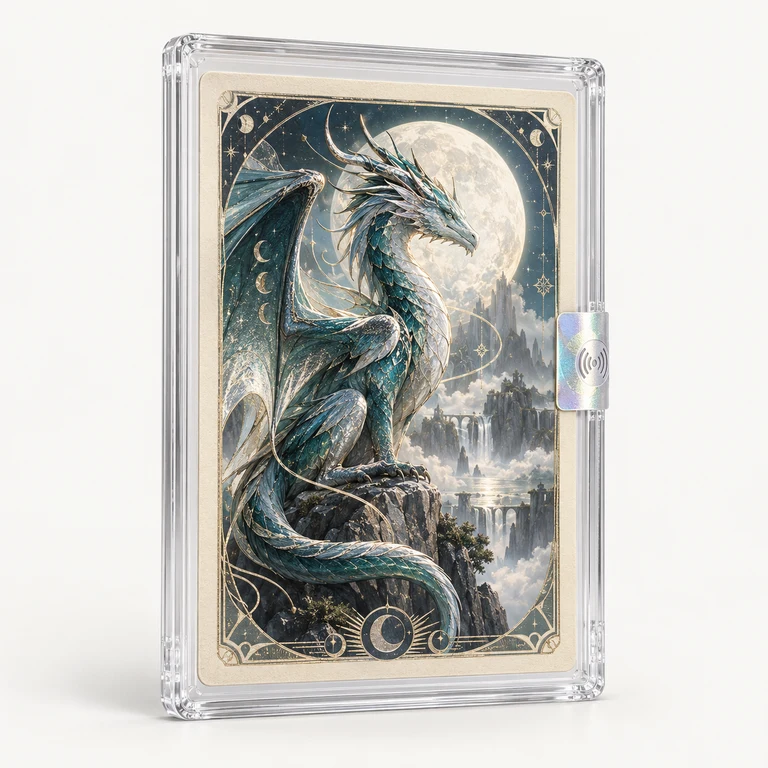
Illustrative collectible card in a transparent case with a holographic NFC sealIllustrative product image
REGISTERED PRODUCTMoon Dragon collector card

Limited collector edition
SKU: MD-01

Item reference
••••0001

Product details
Collection
Moon Dragon
Edition
001 / 500
Presentation
Protective card case

A collectible card presented in a transparent protective case with a holographic NFC seal.

Public product details are supplied by your brand. They may be updated; this verification record remains unchanged.

Accepted verification history
#3

2026-10-07 18:40:00
Asia/Singapore · UTC+08:00
Singapore (example)

No opening reported
#2

2026-10-07 18:35:00
Asia/Singapore · UTC+08:00
Singapore (example)

No opening reported
#1

2026-10-07 18:30:00
Asia/Singapore · UTC+08:00
Singapore (example)

No opening reported

These example records belong to the same tag and registered item.

Approximate region, when available.

Verification by BrandGuard™DEMONSTRATION · NOT A LIVE RESULT
C2

Verify with BrandGuard, then visit your own website

The buyer’s phone contacts BrandGuard for verification first. After a successful check, the browser opens a product page on your own website. Once result display is connected, buyers can see the current result there too. The product page can be static or generated dynamically.

How it works

  1. Tap the NFC tag with a compatible phone
  2. BrandGuard verifies the reading
  3. After successful verification, open the configured product page on your own website

BrandGuard provides

Online verification, a redirect after a successful check, and the official component for showing the result on your page. WordPress sites can use the official plugin; developers can embed the general-purpose component on other sites. We then complete the required configuration and testing together.

You provide

The product page on your own website, its content and someone to handle the integration. Your website team installs and configures the component if you want to show the current result; a redirect alone does not display verification information.

See how results appear on your brand website
C3

Start on your website and request verification through the API

After the phone reads the tag, the request reaches your website domain first. Your backend asks BrandGuard to verify the reading through the Live Verification API, then your page displays the returned result. Your team designs the page and can place the result alongside your existing product content and services.

How it works

  1. Tap the NFC tag with a compatible phone
  2. The request reaches your website domain
  3. Your website backend calls the BrandGuard Live Verification API
  4. BrandGuard verifies the reading and returns the result to your website backend
  5. Your webpage displays the result of this verification

BrandGuard provides

The Live Verification API and integration documentation. Once verification is complete, the response includes the decision and its time, plus the item ID, number of accepted verifications and seal information where available.

You provide

A web developer, a website backend that can call the API, and the result page buyers will see. Your team links any returned item ID to your product information and maintains the connection and display.

Explore the Live Verification API