
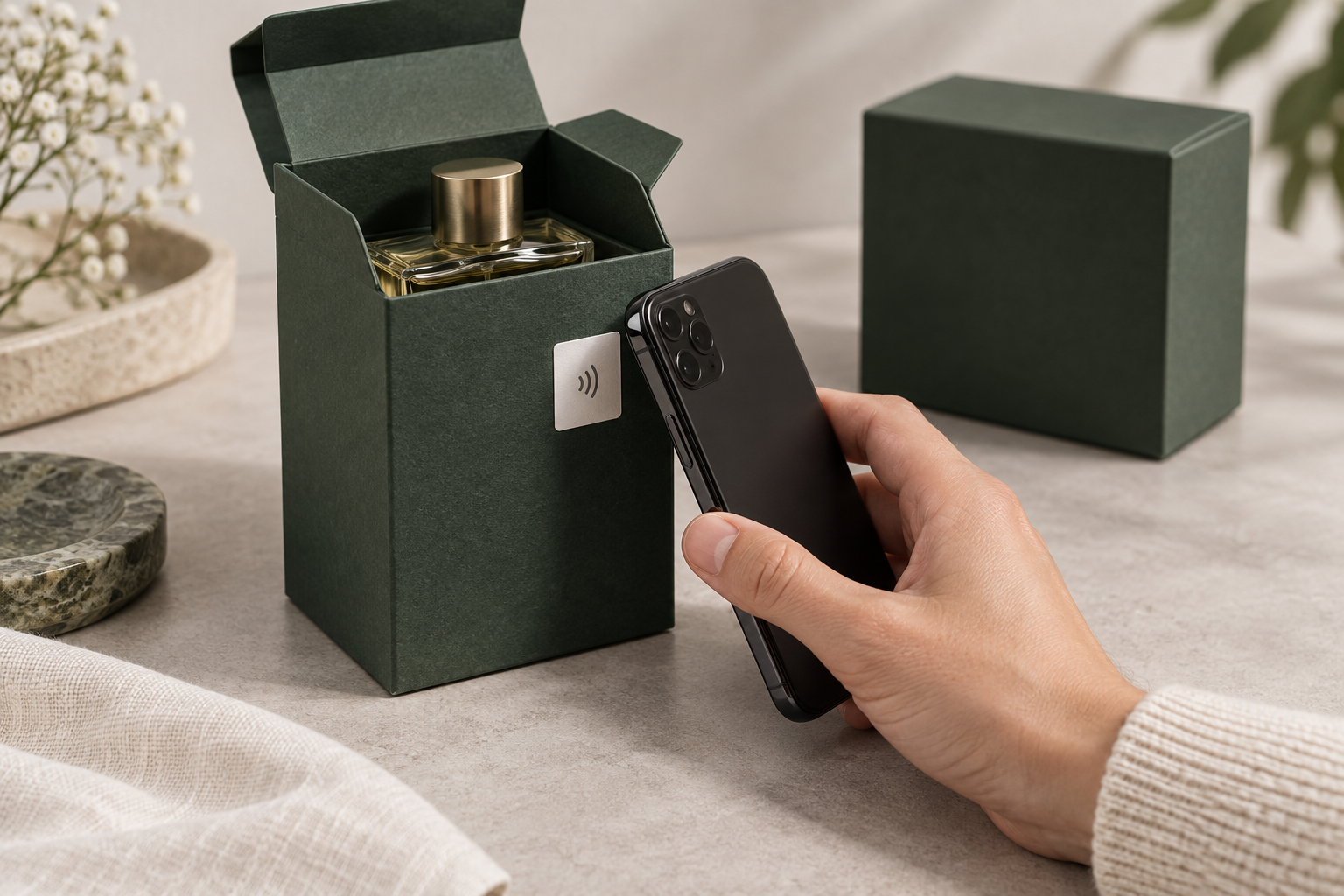
When a sample NFC label opens the right web page, you have a useful starting point for approval. You still need to try it on the product you plan to sell. A full bottle, a foil insert or a change in label position can alter how easily a phone reads it.
These six checks are for the people choosing labels, approving packaging and receiving deliveries. Work through them with a trial batch before placing your main order. Keep any failed samples: they are often the quickest way to show the supplier what needs changing.
1. Check that each label brings up the right product
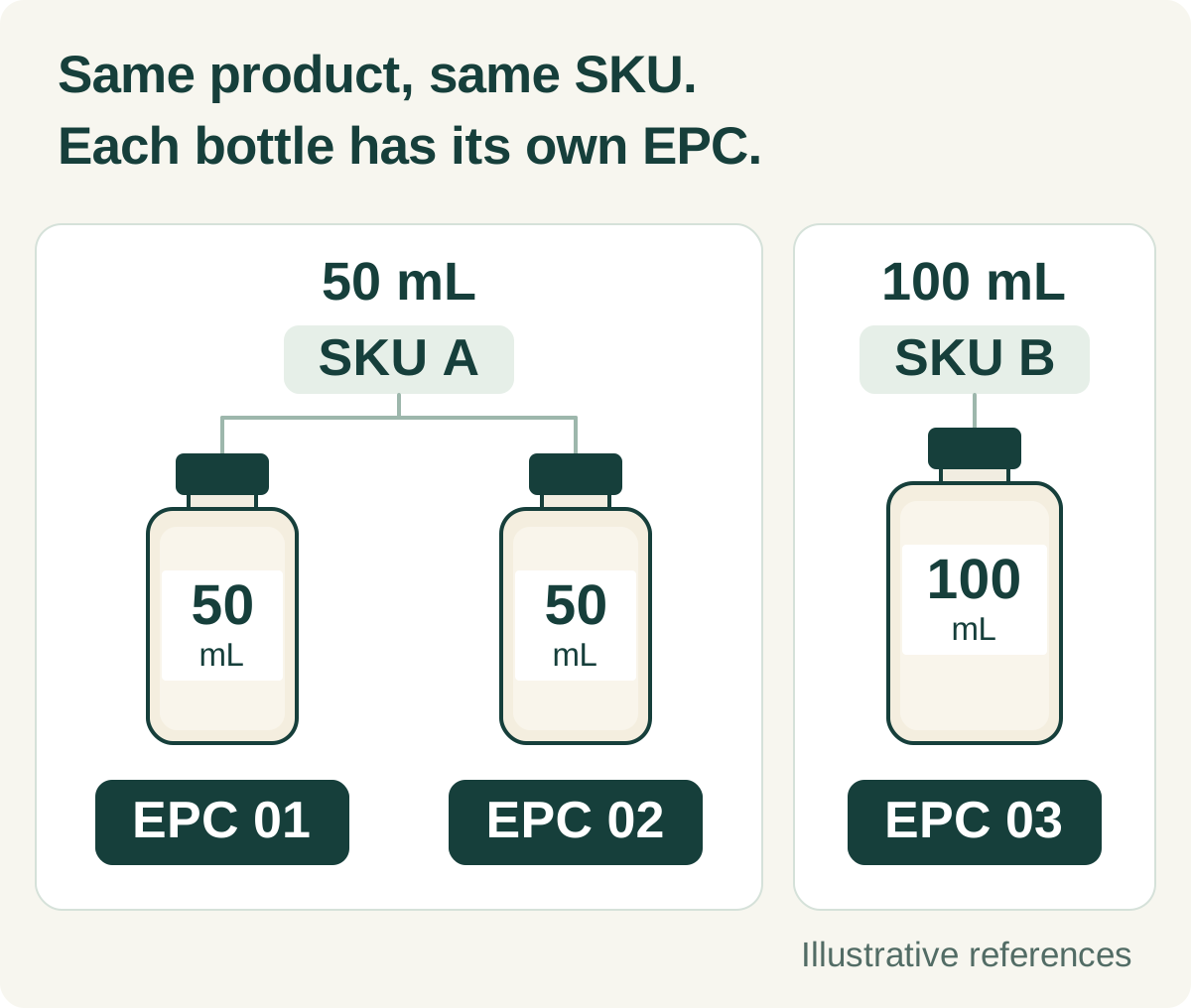
BrandGuard gives every individual item its own EPC. The SKU identifies the product variant, such as a particular size and colour. Two identical bottles can share a SKU, but each has a different EPC. BrandGuard normally supplies an Excel file linking the NFC label information to your SKUs.
Take finished items from each SKU in the trial. Find each item’s EPC in the file, check its SKU, then tap the label. Does the page describe the bottle or box in your hand? Pay particular attention to similar variants, such as 50 ml and 100 ml bottles. If the details do not match, send the EPC, a product photograph and the page result to BrandGuard for correction.
When the main delivery arrives, check the quantities and take samples from different rolls or cartons. Look for missing records, repeated EPCs and labels assigned to the wrong SKU. Record any label replacements so the spreadsheet continues to match what you put on the products.
2. Let someone new to the product try the tap
Put the label where it will go in production. Fill the bottle, fit the closure and include any foil lining or insert. Nearby metal, liquids and the shape of the pack can affect reading, so testing a loose label on a desk will miss some problems.
Use a selection of NFC-capable iPhones and Android phones your customers are likely to own. Ask someone who has not seen the demonstration to follow the instructions on the pack. Watch where they put the phone. If they have to hunt for the label or hold the phone at an awkward angle, try moving the label or improving the printed instructions.
Write down the phone model and whether it had a case. Record whether the phone recognised the tag separately from whether the web page loaded. A slow internet connection can otherwise look like a faulty label. Once the position works, photograph it for the team preparing the packaging artwork.
3. Open a used link, then tap the label again
Tap the label on the product and complete a check. Then open the old link and compare the message before tapping the product again to check that a new verification works normally.
An old link, a product information page or a previous success screenshot is not a new check of another item. The page should make the result clear and ask for another tap where needed.
Refreshing a page is a normal action, not proof of a counterfeit. During the trial, check whether the instructions are clear and whether a customer with a concern can contact the brand.
4. Try peeling the label off, then open the pack normally
The BrandGuard paper labels covered here use fragile paper and an antenna designed to tear during removal. This applies to both NTAG® 424 DNA and NTAG® 424 DNA TagTamper versions. Once the label has been applied as specified, peeling damages the paper and antenna, preventing transfer as a complete, working label.
Apply samples to your packaging and allow the adhesive to settle for the time specified by the supplier. Lift an edge and try peeling. Photograph the torn paper and antenna, and check whether the removed pieces still read. If a label comes away whole and working, keep that sample and packaging for the supplier to investigate.
For a label used as a seal, open the pack as a customer would. The seal needs to cross the opening you want to protect. A label beside a lid cannot show that the lid has been opened.
If you choose a TT opening-detection seal, open the actual package and tap again to see whether the expected message appears. The function checks the state during a read; it is not continuous monitoring. Standard 424 DNA does not offer this electronic opening check, although the label can still use a destructible construction.
If customers should still be able to view product information after opening, try this on the sample: is the label still readable, and does the page give the expected information?
5. Check for damage during normal storage and handling
A label should tear when someone tries to remove it, but it also needs to withstand the handling your product normally receives. List what happens between labelling and purchase: storage, packing, transport and customers picking it up in a shop.
Ask the supplier to help test those conditions on labelled products. For a carton, rubbing during transport may matter. A refrigerated bottle may need checks after condensation forms. Inspect and tap the samples before and afterwards. Look for lifted edges, damaged print, tears and labels that become harder to read. Keep an untreated sample alongside them for comparison.
Only include washing, cleaning chemicals or outdoor exposure if your product will face them. Specify the conditions with the supplier before testing. The chip’s temperature rating does not tell you what the finished paper label and adhesive will withstand.
6. Make sure a failed check gives the customer a useful next step
Turn off the phone’s internet connection and tap the label. The phone may recognise it while the browser cannot load the page. Restore the connection and tap again. Check that the instructions and support team treat this as a connection problem; lack of internet access says nothing about whether the product is genuine.
Ask the supplier to demonstrate a failed authentication and, for a TagTamper seal, a recorded opening. Read the messages on a phone. Can a customer tell whether to tap again, contact the brand or inspect the seal? They should not have to interpret an error code.
Try the contact link and review every language you plan to offer. Give customer services the same examples, so they can find the relevant record and explain what to do next when someone asks for help.
Keep the approved samples with the results
Save the tested EPCs, photographs, phone models and results in one file. Add the fixes and the outcome when you tested again. Keep labelled packaging that passed, as well as samples showing any faults, so future deliveries can be compared with them.
To arrange a BrandGuard trial, send your packaging details, SKU list and a brief description of how the product will be stored and used. These give the team enough context to propose labels and plan the checks with you.
What to keep from your label trial
Write down the product, label version, test date and who carried out the checks. Keep the results below with the samples, including what changed and what happened when you tested again.
| Check | What to record |
|---|---|
| Product details | The EPCs you checked, their SKUs, and whether the Excel file and verification page matched the items in hand. Note quantity differences and replacement labels. |
| Reading with a phone | The phone models and cases, a photograph of the label position, and any difficulty finding the tap point. Separate a missed tag read from a page that would not load. |
| Copied link | What appeared after the first successful check, when its link was opened on another phone, and when the genuine label was tapped again. Include the result of refreshing the page. |
| Peeling and opening | Photographs of the paper and antenna after peeling, whether the removed pieces still read, and what happened when the pack was opened. For TagTamper, record the opening message if the design keeps the main antenna working. |
| Storage and handling | What you did to the samples and for how long, followed by changes in appearance, adhesion and reading. Keep an untreated sample for comparison. |
| Customer help | What happened without internet access, the messages for failed authentication and recorded opening, and whether the retry instructions and contact links were usable in each language. |
Frequently asked questions
How many samples should we test?
Agree the number with the supplier before the trial, covering your different SKUs, packaging materials and labelling positions. Set a separate sampling plan for deliveries. A few successful demonstration samples do not establish a success rate for the whole order.
Do we need to repeat the checks if the packaging changes?
Repeat the checks the change could affect. A new coating may change how the adhesive holds; foil or a moved label may affect phone reading; a new closure may change how the seal breaks. Keep the previous approved pack so you can compare the two.