
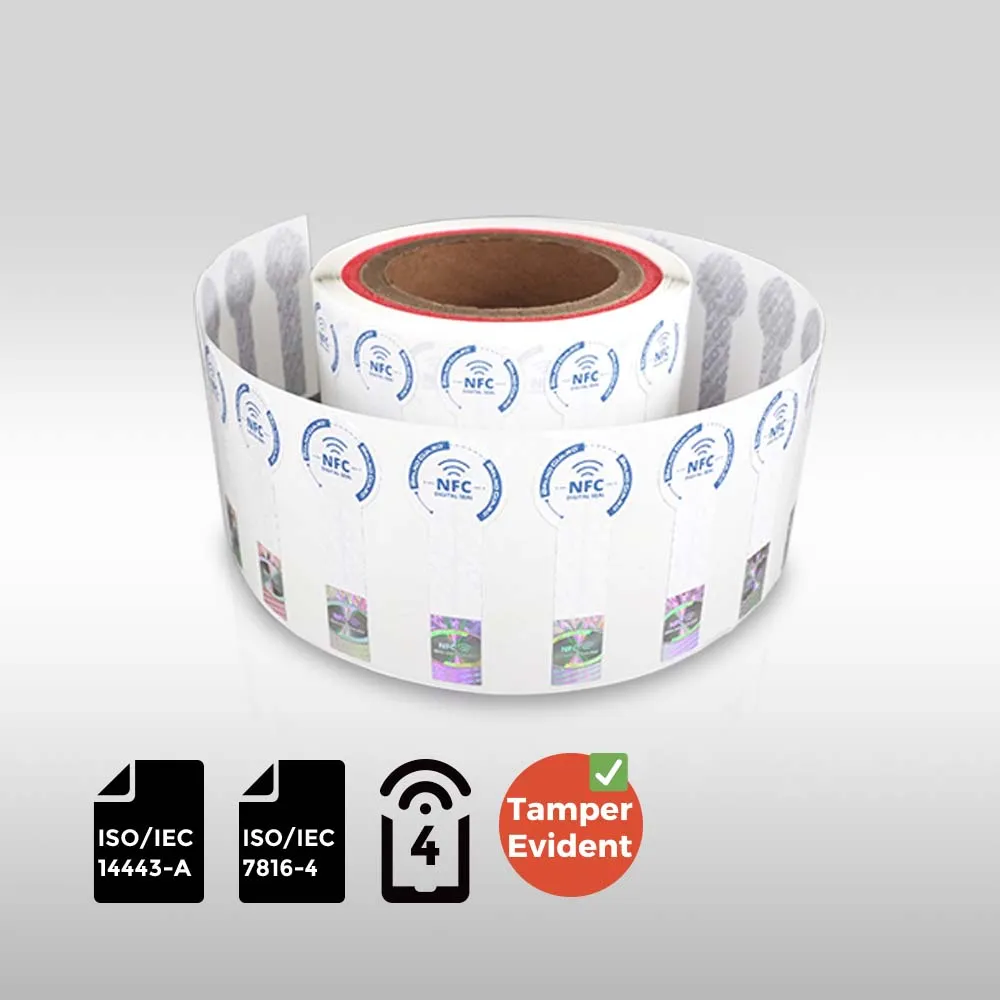
With BrandGuard’s standard NFC label, a phone tap can open a page showing product details and a chip authentication result. The same label also helps reveal attempts to peel it off or open the pack.
You can buy the standard label to try on your packaging and use it directly on your products if it meets your needs. Testing it also gives you a practical starting point for a custom order: you can see what works and identify what needs to change.
Open product information and check the chip
Once the label and verification service are configured, tapping with a phone can open the corresponding product page. This can show the brand, product name and authentication result, with the content arranged to suit your requirements.
This label uses NXP® NTAG® 424 DNA TT with encrypted authentication. Alongside the BrandGuard verification service, it can show customers the secure label result and the corresponding product information. Copying the page or address does not replace a new check of the physical label.
The page should make the outcome clear to the customer: which product this label belongs to, and whether the chip authentication passed. Check both during a trial.
Check whether the seal has been opened
TT stands for TagTamper and can help customers check for signs that a seal has been opened. The state is checked when the phone reads the label, and a detected, recorded opening is retained.
Some projects need the label to remain readable after opening; others put more emphasis on visible damage when the packaging is disturbed. Try the label on the actual package, then agree the right approach with BrandGuard.
Make removal destructive and leave visible evidence
A genuine label could be misused if someone could lift it intact and put it on another product. This label combines fragile paper with a fragile printed antenna: peeling it after it has firmly bonded can tear both. Damage to the main antenna may also stop NFC reading.
The VOID layer leaves its marks mainly on the surface underneath. These marks show that the label has been lifted; sticking it back down does not remove them.
Try this on your own packaging. The surface finish and application conditions affect how the label tears and where the VOID marks remain.
Give the label a recognisable appearance
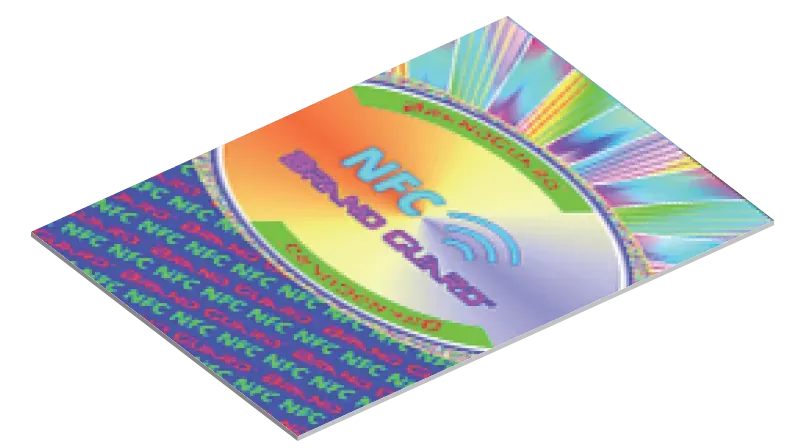
The standard holographic design carries BrandGuard and NFC lettering. Its colours and reflections change with the viewing angle, giving customers a recognisable feature to look for and distributors a design to compare against.
Holographic artwork can be customised for production orders. Check how much remains visible when the label is fitted, particularly around folds and closures. Keep the design recognisable and the tapping instructions easy to find.
Make scanning and tapping easy to understand
The QR code gives customers a camera-scanning option and can be customised for production orders. Decide which page it should open and what customers should find there. Make the two actions easy to distinguish: scan the QR code for the chosen content, or tap with NFC to check the secure label. Copying a printed QR code does not copy the label’s authentication function.
Personalised printing can include your artwork, instructions and any item-specific content you need. Lay these out alongside the QR code and holographic area, with clear directions for where to scan and where to tap.
BrandGuard assigns each individual product its own EPC, including items that share a SKU. The Excel file linking label information to product SKUs helps you check these assignments. If printed numbers or individual QR records must also match, include them in the delivery requirements.
Fit the antenna to the packaging
BrandGuard can redesign the antenna for the label dimensions you need. Resizing involves more than changing the printed outline: the reading area, sealing strip, QR code and hologram all need suitable positions.
Supply packaging dimensions and samples early. Fit trial labels to the complete pack with the product inside, including any metal components or metallic decoration. Test where customers will hold their phones and how opening the pack affects the label.
If customers should still be able to view product information after opening, try this on the sample: is the label still readable, and does the page give the expected information?
Start with the standard label and decide what to keep
Buy the standard label for a trial on your products. Check the phone experience, appearance, fit and what happens when the pack opens or the label is peeled. If the standard design meets your needs and the required configuration is in place, you can use it directly. A custom design is optional.
If changes would help, the trial gives you specific requirements to discuss: the information shown on the phone, chip choice, whether TT is needed, dimensions, antenna layout and printing. This standard model uses 424 DNA TT; other chips may offer different authentication or tamper features.
You can order the standard BrandGuard NFC label from RFID Label to get started.
Six points to settle for a custom order
Bring packaging samples and your trial results. These details turn a general request into a clear specification.
| What to customise | What to confirm |
|---|---|
| Chip and phone experience | Product information, authentication and any opening-status display. The standard label uses 424 DNA TT; confirm the available features if discussing another chip. |
| Shape and antenna | Available space, bends and tap position; antenna redesign and reading checks after a size change. |
| Seal and tamper features | Where the pack opens, whether reading must work afterwards, and the VOID marks left on the packaging. |
| Holographic artwork | Lettering, design, visible area and its position alongside the other printing. |
| QR code and personalised print | The code’s destination, artwork, any item-specific content and clear scan or tap instructions. |
| Item records and delivery file | The relationship between each label, EPC and SKU, plus any printed numbers or individual QR records. |
Frequently asked questions
Can I use the standard label on products I sell?
Yes. The standard label can be used directly if its shape, performance and appearance suit your product and the required configuration is in place. Customisation lets you change features such as the dimensions, antenna or printing when your packaging calls for them.
Why use a fragile antenna and VOID layer alongside TT?
TT lets customers check for signs of opening when they tap. The fragile antenna helps prevent intact removal and reuse, while VOID marks mainly remain on the surface beneath the label. Together, these features help reveal opening and attempts to move a genuine label to another product.
Does tapping only show whether the seal is open?
No. The configured page can show matching product details, such as the brand and product name, alongside the chip authentication result. TT adds information about the seal’s condition. Choose the page content to suit what your customers need to know.